


# How to Use the Focus Challenge Schulte Table (Step by Step)
Most advice about "improving your focus" boils down to concentrate harder and hope for the best. It's not wrong, exactly — it's just useless, because nobody tells you what "harder" is supposed to feel like. Focus Challenge exists because we wanted a way to actually measure that instead of guessing at it: a grid of numbers, a clock, and nothing highlighted to bail you out.
This is a walkthrough of the tool itself — every setting, what it does, and the parts of your first few runs that will probably throw you off. We also get into what the exercise is genuinely training and where the marketing claims around "brain games" tend to overreach, because that second part matters more than most guides let on.
How to Play Focus Challenge, Step by Step
Step 1: Pick your grid size
Open Focus Challenge and you'll land on the settings screen first, not the grid. Choose a size anywhere from 3×3 up to 8×8 — 4×4 is the closest thing to a standard Schulte table, and it's where we'd tell anyone to start. An 8×8 grid has 64 numbers in it, and on your first attempt that's less "challenging" and more "you will not finish," which isn't actually useful data about your focus.

Step 2: Choose a color mode and a sequence mode
Right below the grid size, pick how the numbers look and how you'll be asked to find them. Color mode is mostly personal preference — colorful background, colorful numbers on a plain background, or flat black-on-white if color is more distracting than helpful for you. Sequence mode is the one that actually changes the exercise: sequential has you finding every number from 1 to the grid's total, while random-subset gives you a shorter, non-consecutive list (say, 1, 7, 12, 19) that you have to hold in memory before you start.

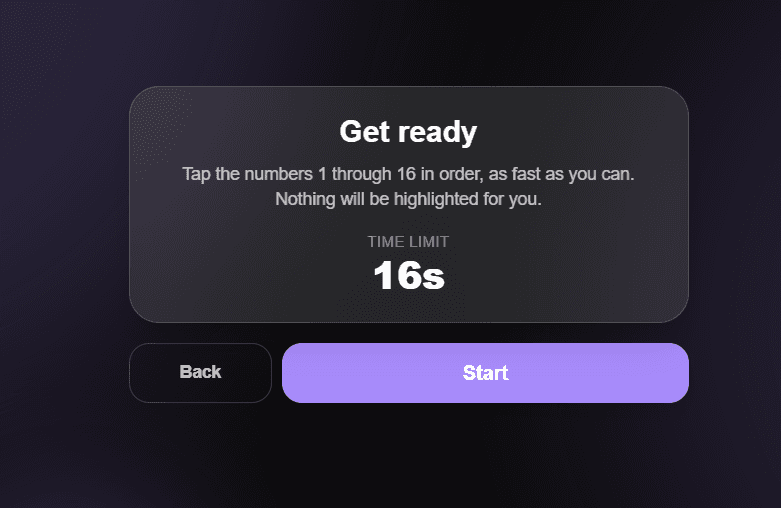
Step 3: Read the Ready screen before you tap Start
This step gets skipped constantly, and it's the one that wrecks people's first score. The Ready screen shows your time limit and, in random-subset mode, the exact sequence you're about to be tested on. The clock does not start until you tap the button — so there's no reason to rush past this screen, and if you're in random-subset mode and you don't actually look at the numbers here, you're setting yourself up to fail before you've tapped a single tile.
Step 4: Tap the numbers in order and ignore the wrong-tap notice
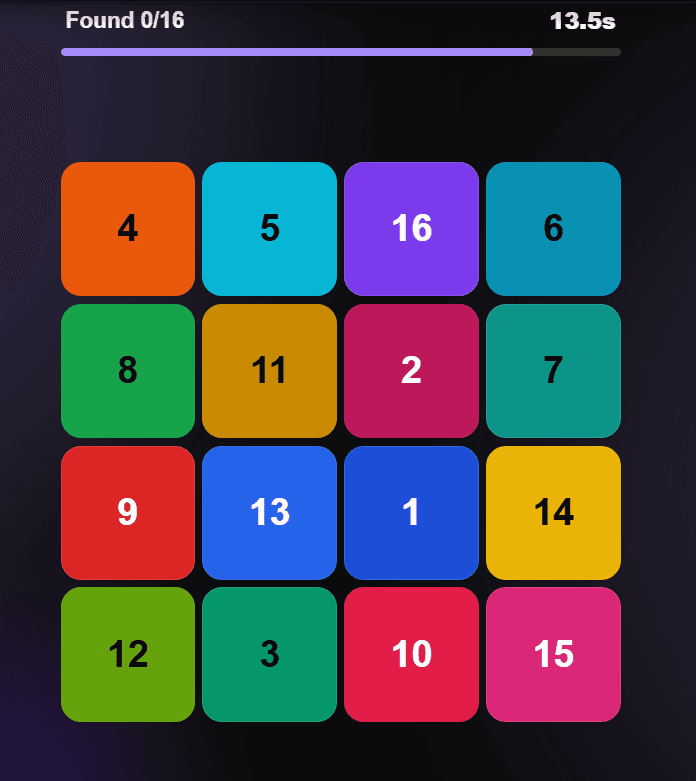
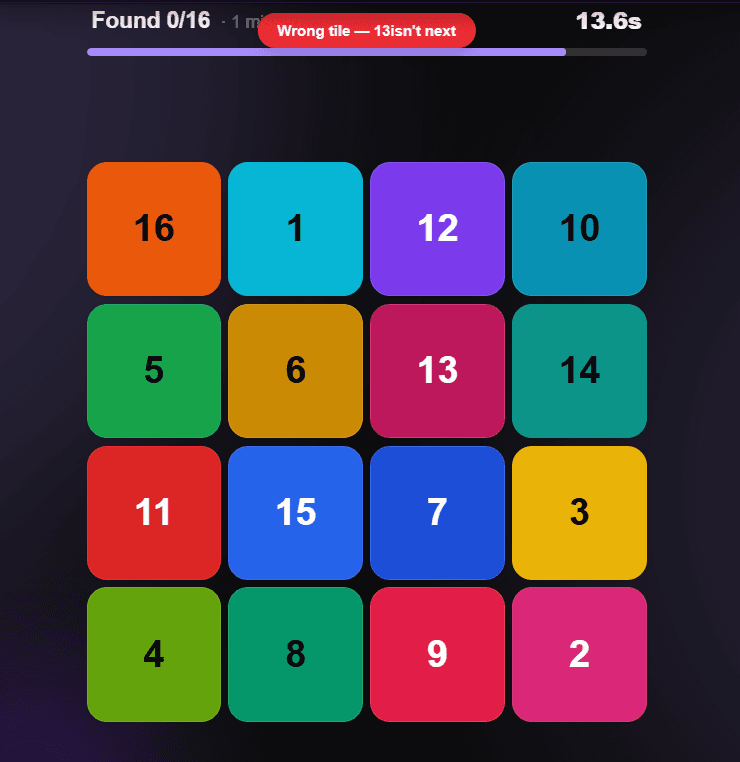
Find the next number in your sequence and tap it. That's the entire mechanic — there's no highlighting, no dimming of numbers you've already found, nothing on the grid changes to help you track progress. If you tap the wrong tile, you'll get a quick on-screen notice and the round keeps running; it doesn't end your attempt. That's a deliberate design choice we made after watching early testers freeze up over single mistakes instead of just recovering and continuing, which is a far more useful skill to practice anyway.
Step 5: Read your score, then run it again
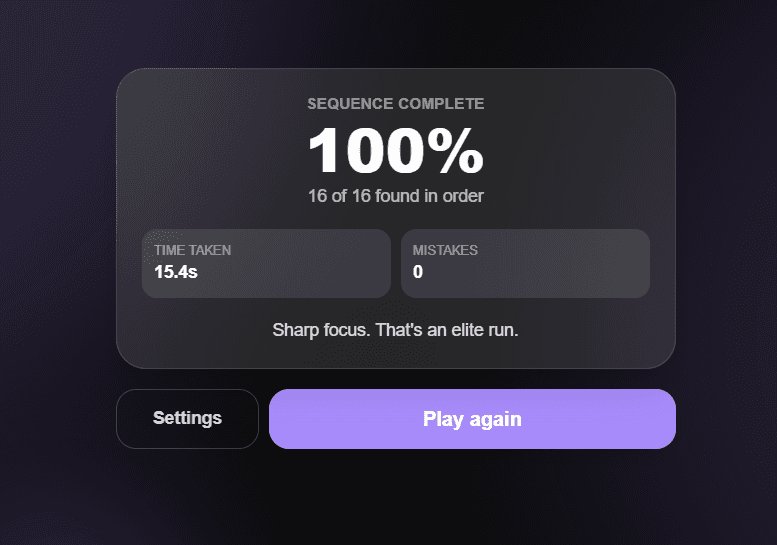
When you finish the sequence or the timer hits zero, you'll see an accuracy percentage, how many numbers you found in the correct order, your mistake count, and total time. The percentage is the number that matters most, because it's the one figure that stays comparable if you change grid sizes later. Run the same settings again before you touch anything else — a single attempt tells you almost nothing; three or four back-to-back attempts tell you whether today is actually a sharp day or a scattered one.
Quick recap before you play:
- Start on 4×4 sequential mode — don't jump straight to a large grid or random-subset
- Actually read the Ready screen; the clock only starts when you tap Start
- A wrong tap won't end your round, so don't hesitate out of fear of ruining your score
- Compare your accuracy percentage across runs, not your raw count — it's the only number that holds up across grid sizes
What Most People Get Wrong the First Time
The single most common mistake is reading the grid the way you'd read a page — left to right, top to bottom, scanning row by row. That works fine for a book. On a Schulte table it's the slow way, because the number you need next could be anywhere, and hunting in reading order means you're checking cells in an order that has nothing to do with where the target actually is.
The better approach, and the one every speed-reading coach who's used this format will tell you, is to fix your eyes somewhere near the center of the grid and let your peripheral vision do the searching instead of your eye movements. It feels almost useless the first few times — like you're staring at nothing and hoping. Give it more than one attempt before you write it off. In the runs we've watched, people who stick with the center-fixation approach for five or six attempts consistently start closing in on numbers faster than people who keep hunting row by row, even though the peripheral method feels slower in the moment.
The second mistake is picking a grid size that flatters you instead of testing you. If you're consistently landing at 95%+ accuracy on 4×4, that's not really telling you anything about your focus anymore — it's telling you the test is too easy. Move up.
What This Actually Trains — and Where the Marketing Usually Oversells It
Here's the part most "brain game" sites skip past, or worse, dress up with a stat that doesn't hold up to scrutiny. The honest version is narrower, but it's also true.
A Schulte table trains visual scanning speed and selective attention — specifically, your ability to hold one target in mind while your eyes move across a field full of distractors. That's not a vague wellness claim; it's the literal mechanic of the exercise. Walter Schulte, the German psychiatrist who built the original paper version in the mid-20th century, designed it as a clinical tool to measure exactly that skill, not as entertainment. Speed-reading programs and cognitive-training courses picked up the format decades later for the same reason.
What it doesn't do is anything close to what a chunk of the brain-training industry has historically claimed. In 2016, the FTC fined Lumosity's parent company two million dollars for advertising that its games could delay age-related cognitive decline and improve real-world performance — claims the company couldn't back up. We bring that up because it's the right cautionary tale here: we're not going to tell you that a few runs on this grid rewire your brain or treat a diagnosed attention condition. What we can say honestly is narrower and more useful — this is a specific, measurable skill (fast, accurate visual search under a clock), and if you already do something like this before an exam, a proofreading session, or a long stretch of reading, this is a faster way to warm up for it than staring at a blank wall for two minutes.
If you're dealing with a genuine, persistent attention difficulty, a game — this one included — isn't a substitute for talking to a doctor. It's a training exercise, not a diagnosis.
Grid Size, Time Limit, and What Each One Is Actually Good For
| Grid size | Numbers to find | Typical time limit | Best for |
|---|---|---|---|
| 3×3 | 9 | ~9 seconds | Your very first attempt, or a 20-second reset between tasks |
| 4×4 | 16 | ~16 seconds | Daily practice — this is the one to track over time |
| 5×5 | 25 | ~25 seconds | Pre-exam warm-up; closest to the classic paper Schulte table |
| 6×6 | 36 | ~36 seconds | Once 4×4 stops feeling like a test |
| 8×8 | 64 | ~64 seconds | Advanced runs — expect your accuracy to drop before it climbs back up |
The time limit scales at roughly one second per cell in sequential mode, which is why an 8×8 grid doesn't feel four times harder than a 4×4 — it feels closer to eight or nine times harder, because you're also managing four times the visual clutter in the same proportional time.
Questions People Actually Ask
Does Focus Challenge save my scores between visits?
No, and that's intentional for now — everything runs locally in your browser for the current session, so closing the tab clears your run history. If you want to track progress over multiple days, screenshotting your result screen is the reliable workaround until a saved-history feature ships.
What's actually different between sequential and random-subset mode?
Sequential asks you to find every number from 1 up to the grid's total, in order — nothing is skipped. Random-subset gives you a shorter list of numbers, shown to you on the Ready screen, that you have to find in order while ignoring everything else on the grid. It's a genuinely different skill: sequential is pure visual search, random-subset adds a working-memory load on top of it.
Why does the timer feel so much tighter on bigger grids?
Because the time limit is proportional but the difficulty isn't — going from 4×4 to 8×8 quadruples the numbers on screen but the clock only scales linearly with cell count, so you have proportionally less slack per number as the grid grows. That's by design; a generous timer on a large grid would just let you brute-force it instead of actually sharpening your scan speed.
Can I make the game harder once the basic grid feels easy?
Yes — turn on style randomization for tilted, resized, and animated numbers, or enable mid-game position swapping, which shuffles a couple of unclicked tiles' values while the clock is running. Both are in the settings screen alongside the grid size and color options. Worth knowing: numbers made up only of digits like 6, 9, 0, 1, and 8 are deliberately never rotated, because a rotated 6 and a 9 can look identical and that's a UI bug, not a difficulty feature.
Is there a mobile version?
Focus Challenge is built mobile-first and runs directly in your phone's browser — no separate app, no download. The layout is sized to fit your screen without any scrolling once you're on the grid itself.
What happens if I tap a wrong number by accident?
Nothing that ends your run. You'll see a brief notification, your mistake count ticks up by one, and the timer keeps going. This changed at some point after early testing showed people were more rattled by a game-ending mistake than they were by the actual difficulty of the grid — tracking mistakes separately from accuracy gives you a cleaner picture of both how far you got and how clean the run was.
Where to Go From Here
Start on 4×4 sequential mode tonight, run it three times back to back, and look at the spread between your best and worst accuracy — that gap is a more honest read on your focus than any single score. Once your worst run out of three is consistently above 80%, move to 5×5 or turn on random-subset mode, but don't do both at once; changing two variables at a time just makes it harder to tell what's actually improving.